
Control your WalkingPad from your Mac
A native macOS menu bar app for seamless control of your WalkingPad treadmill. New Sync workouts to Apple Health with the iOS companion app.
Requires macOS 14.2 or later
See it in action

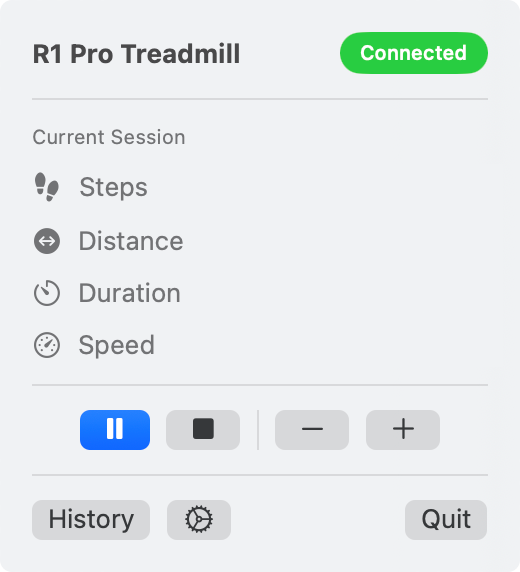
Control everything from your menu bar
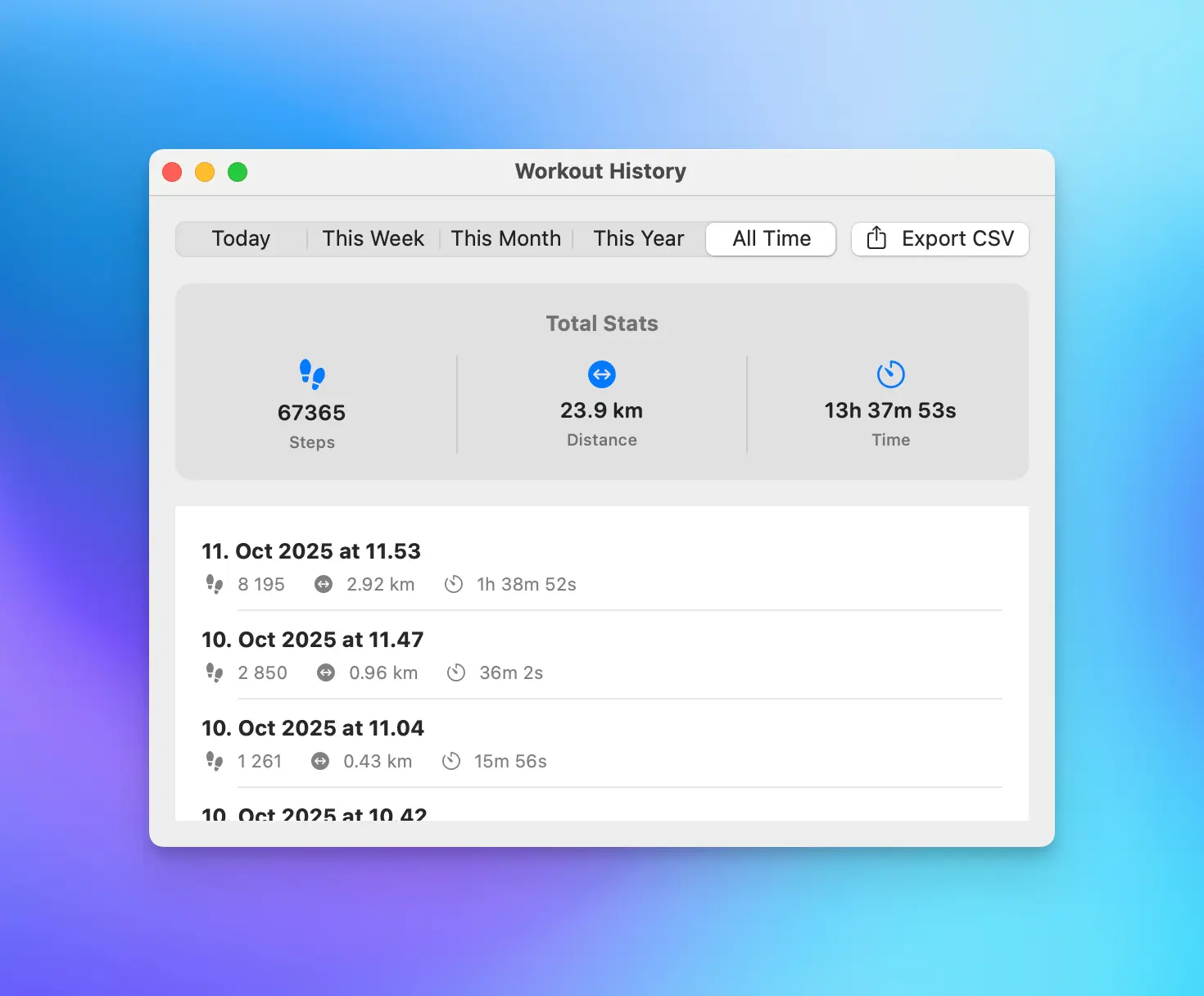
Track your progress over time
WalkingMate is Powerful, Yet Simple
Control your treadmill and track your progress.
Lives in your menu bar
Start, stop, and adjust speed - all from a discreet menu bar icon. Remote not needed anymore.
Control with keyboard shortcuts
Global hotkeys work from any app. Keep coding, keep writing, keep walking.
Apple Health sync
Sync workouts to Apple Health via the free iOS companion app. Every walk is saved to your health history.
Accurate step counting
WalkingPad's step counter is often off. A quick 60-second calibration walk fixes that.
Walking history with CSV export
Track your all-time step count and review your complete history. Export to CSV anytime.
Live stats in the menu bar
See your current speed, steps, or distance at a glance without opening the menu.
And more...
- Software beeps for treadmill events
- Calorie estimation (via iOS companion app)
- Home Assistant integration via MQTT
- FTMS treadmill support
Sync to Apple Health
Your desk walks finally count. The free iOS companion syncs your workouts to Apple Health, so every step is tracked in your health history.
- Workouts sync automatically via iCloud
- Steps and distance recorded in Apple Health
- Calories burned tracking across both devices
Will it work with my treadmill?
Built for WalkingPad and KingSmith treadmills.
The best way to know: if your treadmill connects to the official KSFit mobile app via Bluetooth, it will almost certainly work with WalkingMate.
The app uses the standard Bluetooth Low Energy (BLE) protocol that these treadmills share.
Likely Compatible Models
Walking Pads
- WalkingPad A1 Pro
- WalkingPad C1 / C2 / C2A
- WalkingPad P1E
Folding Treadmills
- R1 Pro / R1S / R2
- R3 Just Walk / R3 Hybrid
- Z1 & Z3 Series (All variants)
Other Models
- X21 / X218 / X214
- MX Series (MX3, MX8, MX16)
- K Series (K12, K15)
WalkingMate also supports the standard FTMS (Fitness Machine Service) Bluetooth protocol, so it may work with other treadmills beyond those listed above.
What's New
Version 1.6.0
March 2, 2026- Added encouragement notifications that celebrate when you've walked off the equivalent of a Big Mac, pizza slice, and other foods (opt-in from Settings)
- Fixed menu bar window oscillation in Tahoe
- Fixed speed control buttons having different heights in Tahoe
Troubleshooting
WalkingMate can't find my treadmill
Make sure your treadmill is not connected to the KSFit app on your phone. Bluetooth only allows one app to connect at a time. Close KSFit or disconnect from the treadmill in the app, then try again.
Why do I need the iOS app for Apple Health?
Apple doesn't allow Mac apps to write to HealthKit directly. The iOS companion app receives your workouts via iCloud and syncs them to Apple Health on your behalf. Just open the iOS app occasionally and your workouts will sync automatically.
Distance or steps are not counted in Health app
If you wear an Apple Watch, it also tracks movement in the background. When both sources record data for the same time period, the Health app picks one based on a priority list — and Apple Watch is higher priority by default. To fix this, open the Health app, go to Browse → Activity → Walking + Running Distance → Data Sources & Access, tap Edit, and drag WalkingMate Companion above Apple Watch. Do the same for Steps if needed.
Stay active while you work
Walking while working is the best lifehack. WalkingMate makes it even better with effortless control right from your menu bar.
Get WalkingMateSupport & Feedback
Report an Issue or Suggest a Feature
Our GitHub repository is the best place for tracking bugs and proposing new features. Your feedback helps improve WalkingMate for everyone.
GitHubGet in Touch
Having trouble with the app or just have a question? Send me an email and I'll get back to you.
Email SupportCheck out my other apps

Lolgato
Advanced controls for your Elgato lights
Automatically control your Elgato lights based on camera activity, set global shortcuts, and more. Open source and free.

KeepMic
End the Bluetooth headset mic hijacking
A simple macOS menu bar app that automatically keeps your preferred microphone as the default input device. Perfect for podcasters, streamers, and remote workers.